Web DevelopmentBy Abdul Rahman03 Jun 20262 min read
Core Web Vitals in Practice: Improving LCP, INP and CLS
Google's Core Web Vitals measure loading, responsiveness and visual stability. What LCP, INP and CLS mean, how to measure them with real-user data, and the fixes with the biggest impact.

Performance is a feature users feel and search engines measure. Core Web Vitals are Google's metrics for real-world user experience, and they influence search ranking. When I redesigned my portfolio, measuring them with PageSpeed Insights (95 performance and 100 SEO on desktop, 88 performance on mobile) showed exactly where the remaining work was: mobile.
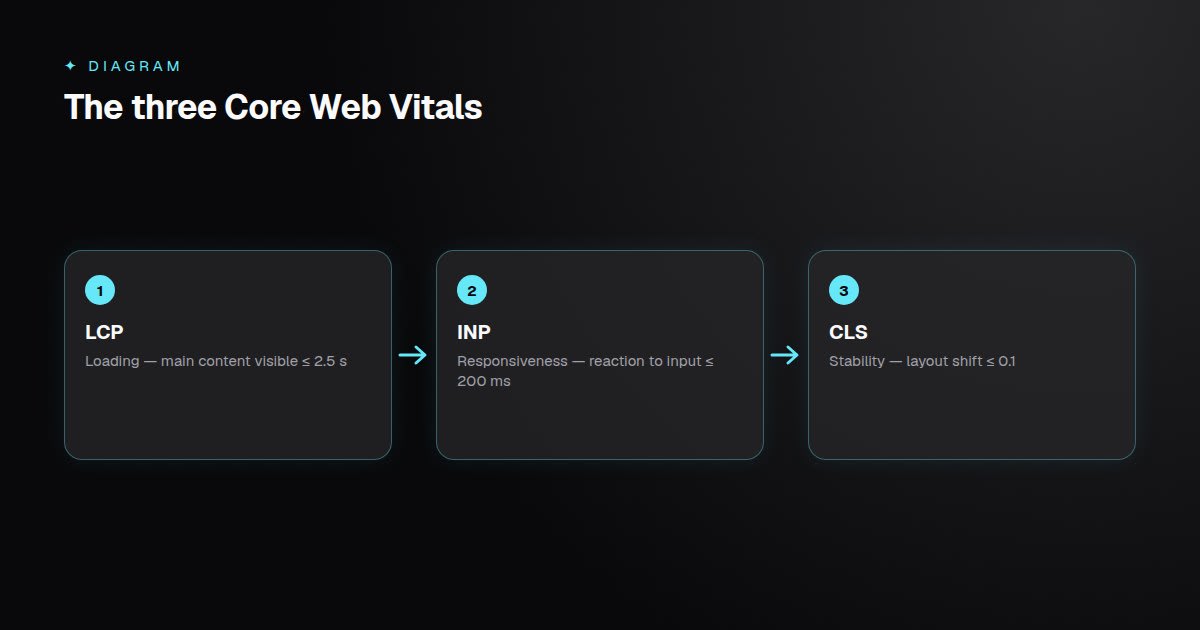 Targets are measured at the 75th percentile of real page loads.
The Three Metrics
Largest Contentful Paint (LCP) — loading
The time until the largest visible element, usually a hero image or heading, is rendered. Good: 2.5 seconds or less.
Interaction to Next Paint (INP) — responsiveness
How quickly the page visually responds to clicks, taps and key presses throughout the visit. INP replaced First Input Delay in 2024 because it measures every interaction, not just the first. Good: 200 milliseconds or less.
Cumulative Layout Shift (CLS) — visual stability
How much content unexpectedly moves while the page loads. Good: 0.1 or less.
Lab Data vs Field Data
- Lab tools (Lighthouse, PageSpeed's lab section) run a simulated load — great for debugging.
- Field data (Chrome UX Report, the
web-vitalslibrary) comes from real users on real devices — this is what counts for ranking.
Measure field data from your own users:
import { onLCP, onINP, onCLS } from "web-vitals";

const send = (metric) =>
  navigator.sendBeacon("/api/vitals", JSON.stringify({ name: metric.name, value: metric.value }));

onLCP(send);
onINP(send);
onCLS(send);
Improving LCP
- Prioritise the hero image: correct size, modern format (AVIF/WebP), and
fetchpriority="high"— never lazy-load the LCP image. - Reduce server response time with caching, static generation and a CDN.
- Remove render-blocking resources: inline critical CSS, defer non-critical scripts.
- Self-host fonts and use
font-display: swap(Next.js'snext/fonthandles this).
Improving INP
INP is usually a JavaScript problem — the main thread is busy when the user interacts.
- Ship less JavaScript: server-render content, split bundles, remove unused libraries.
- Break up long tasks so the browser can respond between chunks of work.
- Keep event handlers light and defer non-urgent updates (React's
useTransitionhelps). - Audit third-party scripts — analytics, chat widgets and tag managers are frequent culprits.
Improving CLS
- Always set width and height (or
aspect-ratio) on images, videos and embeds. - Reserve space for ads, banners and late-loading components.
- Avoid inserting content above existing content unless triggered by the user.
- Match fallback font metrics to reduce shift when web fonts load.
Key Takeaways
- LCP measures loading, INP responsiveness, CLS stability — assessed at the 75th percentile.
- Field data from real users matters more than lab scores.
- Fix LCP with prioritised images and fast servers; INP with less and lighter JavaScript; CLS with reserved space.
- Measure continuously so regressions are caught early.